 Pano
A light project board for building software with AI, with you in control.
I keep one PO agent for planning, and we make the decisions together. Through Skills and CLIs it runs my other agents in Claude, Codex and OpenCode like subagents, so its context stays small. Work is tracked card by card and goes to the model that fits it. When something needs my check, it is assigned to me. If it is not right, I send it back. So I don't get lost while AI runs off on its own.
Everyone works differently, but this works for me. So I'm publishing the tool behind it as open source. Install it locally and try the same way of working.
What it does
Follow the work on the board. Pano tracks agents; it does not run them.
The board
See your projects and their progress together, including work waiting for your test.
Cards show usage reported by agents. Pano does not measure it or calculate a price.
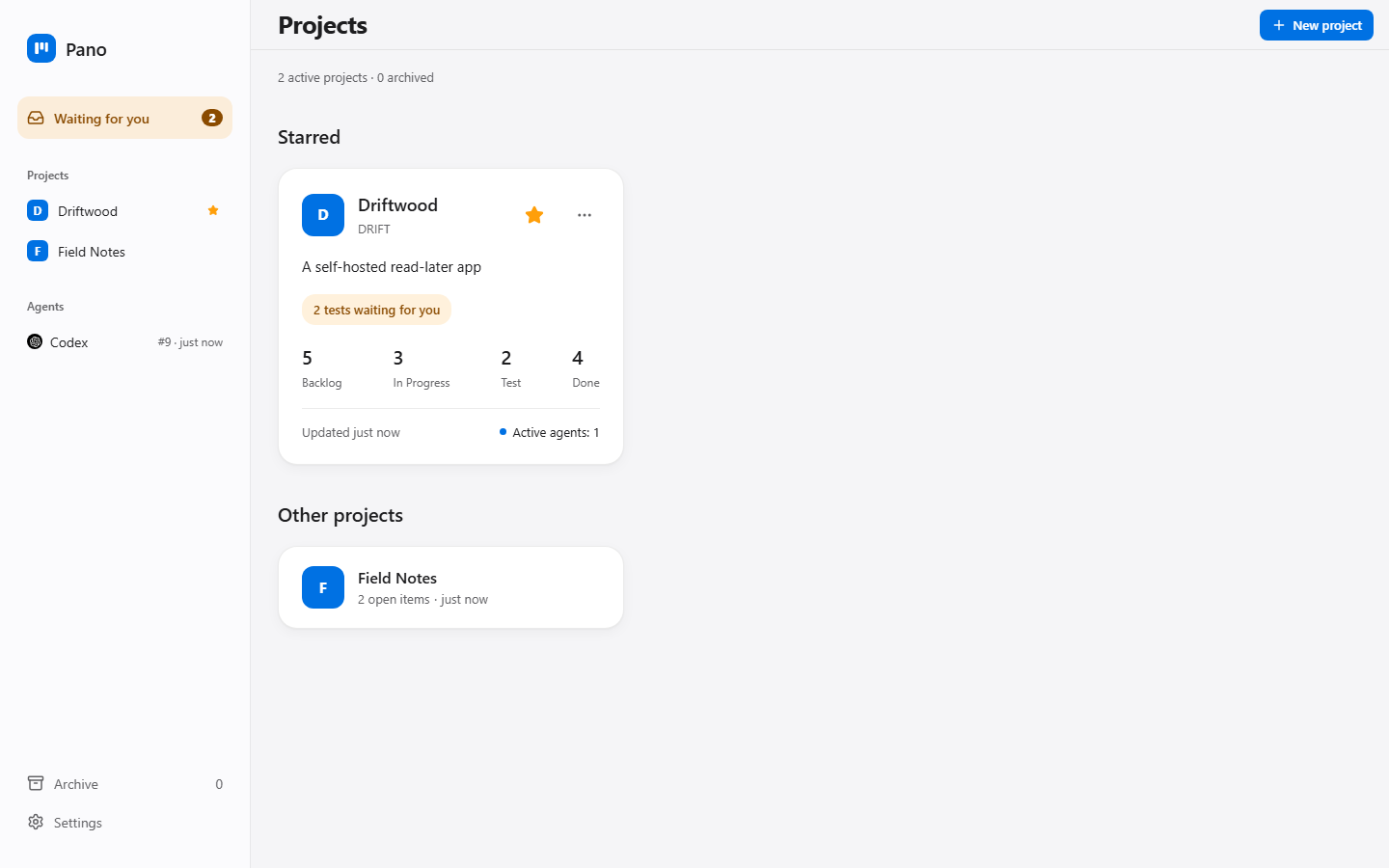
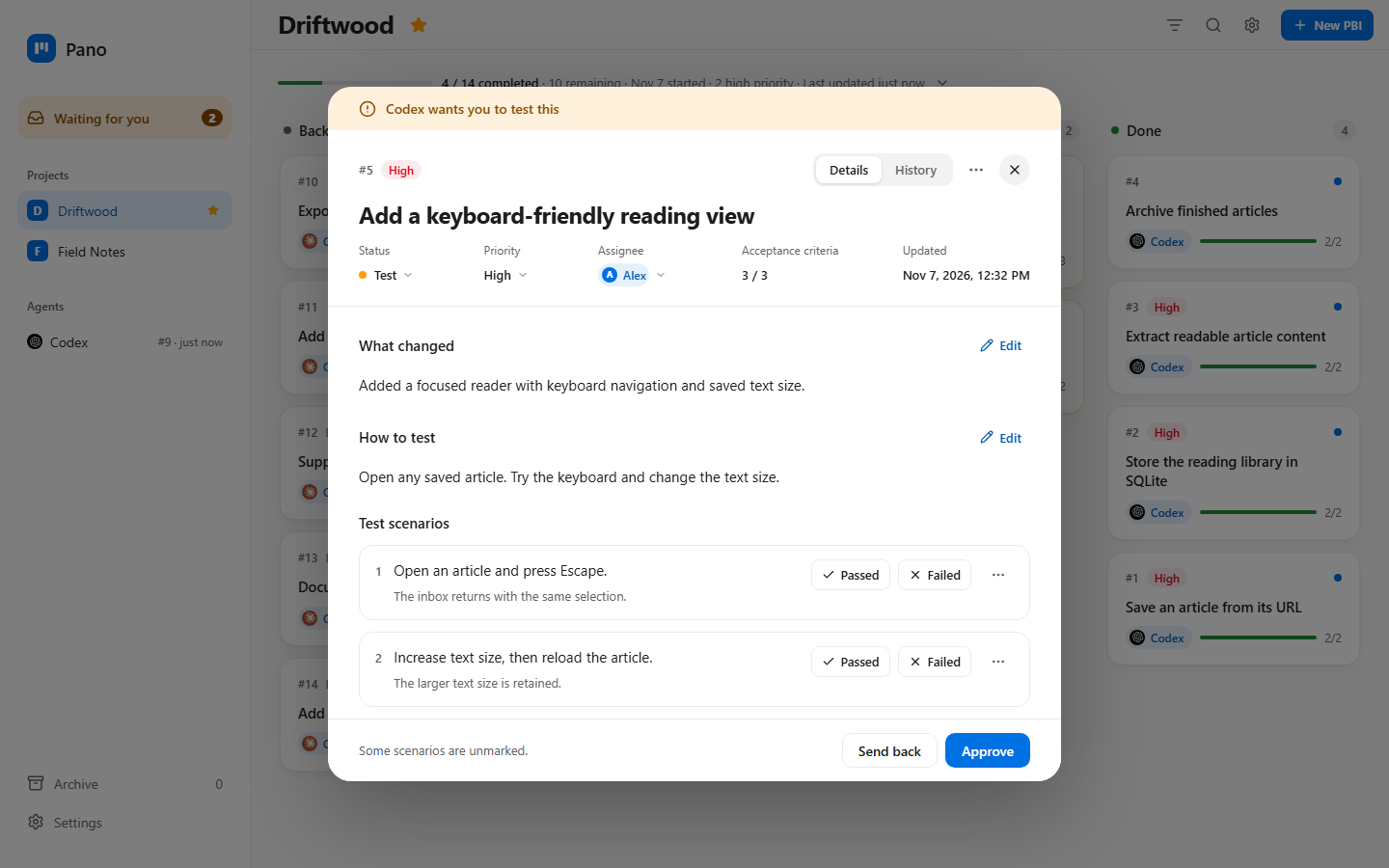
Your quality check
Try the scenarios, then approve the result or send it back with a note. Failed scenarios prevent approval.
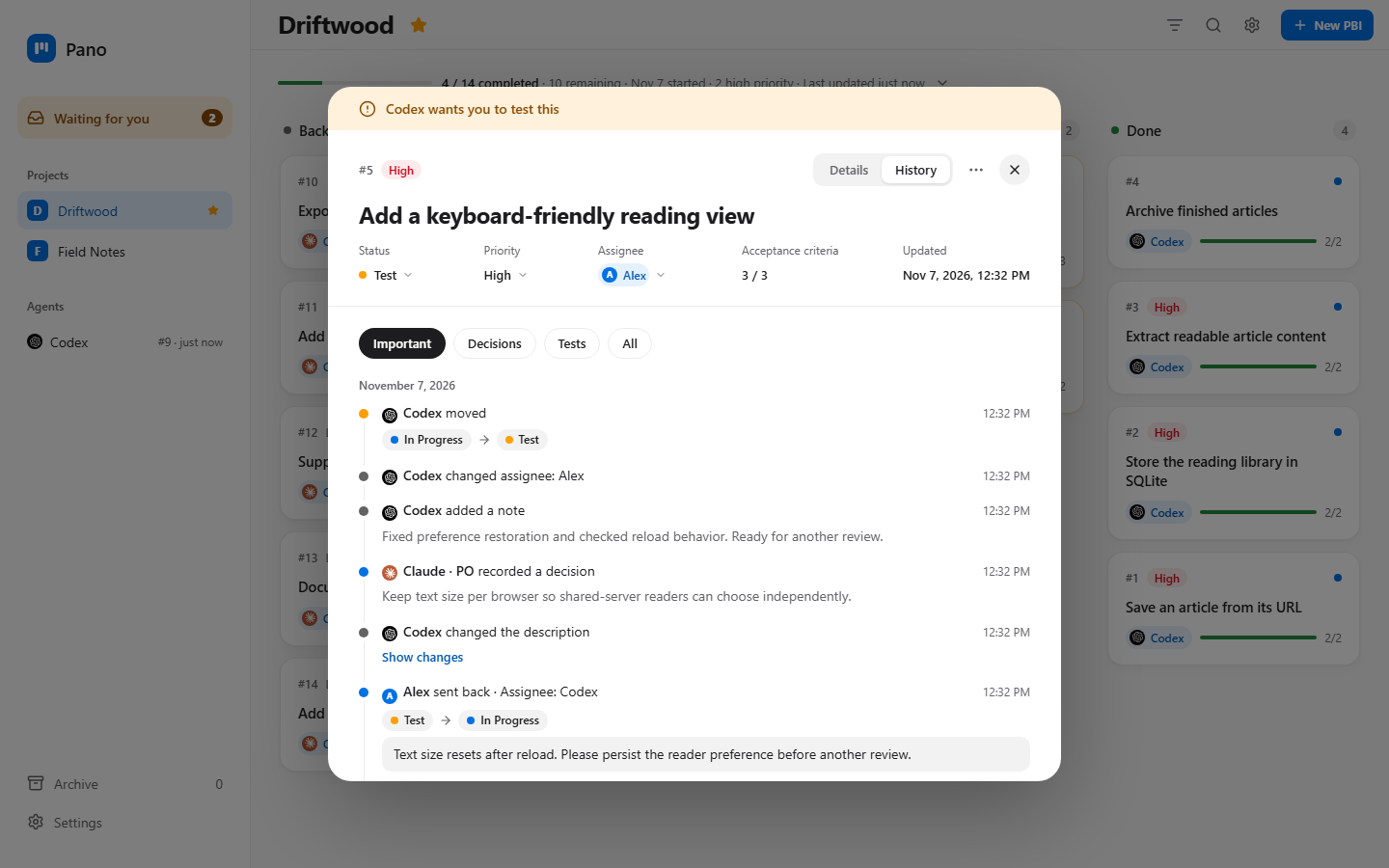
History
See decisions, checks and changes on each card. Cancelled cards keep their history.
How we work with AI
Your AI runs the work and Pano keeps track, while you step in at two moments: when you ask and when something needs your test.
You ask
YouSay what you want and decide the scope.
Backlog
PO and agentsThe PO plans cards with acceptance criteria.
In Progress
PO and agentsAgents build and the PO checks their work.
Test
YouTry the scenarios, then approve or send back.
Send back with a note Sent-back work returns to In Progress.
Done
YouApproved work ends here. The card keeps its history.
If the project allows it, the PO can verify and close work that doesn't need your quality check.
Keep it light: one PO and a few agents are enough. Use your own Skills and change the setup to suit you.
Install
curl -fsSL https://raw.githubusercontent.com/Metonya/pano/main/install.sh | shirm https://raw.githubusercontent.com/Metonya/pano/main/install.ps1 | iexdocker run -d --name pano -p 127.0.0.1:7777:7777 -e PANO_LOCAL_DOCKER=1 -v pano-data:/data ghcr.io/metonya/pano:latestRun pano serve and open http://localhost:7777. For Docker, just open the address.
Connect your AI
You can run the whole process with the CLI, so MCP is optional. Choose what suits you.
If your tool supports MCP, your AI may find the board a little easier to use. With Pano running, copy the command for your tool to print its setup.
pano mcp-config claudepano mcp-config codexpano mcp-config cursorSkills
Paste this into your AI to set up the Skills:
Copy skills/pano and skills/pano-po from https://github.com/Metonya/pano into your skills folder.Or copy those folders yourself. For Claude Code, use ~/.claude/skills/. If your tool has no Skills support, ask it to read both SKILL.md files.
Then start a conversation with your agent:
Use the pano-po skill. You are the PO. Create a project called APP on Pano and plan: add search to my app. Show me the cards before starting.